Why the Right Icon Set Changes Everything for Your Projects
Let's be honest, we've all been there. You're building a website, designing a mobile app interface, or putting the finishing touches on a presentation for a major client. The layout is clean, the copy is sharp, but something feels... off. More often than not, the culprit is a mismatched, pixelated, or stylistically inconsistent set of icons. They seem like a small detail, but they can make or break the professional polish of your work. Finding a single, high-quality, and versatile icon library is like finding a rare gem. It saves you countless hours of hunting and ensures your final product looks cohesive and intentional.
Introducing the Banner Icon Set: A Practical Toolkit for Modern Creators
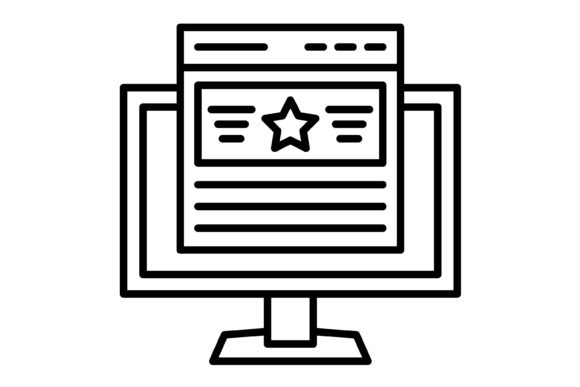
This is where the Banner icon set enters the picture. It's not just another collection of random graphics; it's a thoughtfully curated toolkit designed for the real-world demands of today's digital and print landscapes. At its core, Banner is a comprehensive library of 100 vector icons, built from the ground up to be as functional and adaptable as possible. The goal isn't just to provide pretty pictures, but to give you a reliable asset that streamlines your workflow and elevates the quality of your projects, whether you're a freelance designer, a startup founder, or an educator creating course materials.
The Foundation: Five Formats for Ultimate Flexibility
The true strength of any design asset lies in its technical versatility. A beautiful icon is useless if you can't use it in your specific software or context. This is an area where Banner excels. The entire set is delivered in a single, convenient zip file containing five of the most critical file formats you'll ever need. This thoughtful inclusion means you're prepared for virtually any situation without ever needing to convert files or search for alternatives.
- SVG (Scalable Vector Graphics): This is the modern web developer's best friend. SVGs are lightweight, infinitely scalable without any loss of quality, and can be manipulated with CSS. This makes Banner icons perfect for responsive websites and web applications where they need to look crisp on any screen size.
- AI and EPS: For graphic designers and print professionals, these are the gold standard. Adobe Illustrator (AI) and Encapsulated PostScript (EPS) files are fully editable vectors. You can easily change colors, resize elements, or even modify the icon's shape to perfectly match a brand's identity. This is invaluable for creating custom logos, print materials, or detailed illustrations.
- PNG with Transparent Background: The workhorse of digital graphics. A high-resolution PNG with a transparent background is essential for layering icons over images, colored backgrounds, or within complex layouts in tools like Canva, PowerPoint, or Keynote. It offers the convenience of a raster image with the clean integration of a transparent backdrop.
- JPG: While less flexible than PNG due to its lack of transparency, the JPG format is universally compatible and often has a smaller file size. It's perfect for situations where you need a quick, reliable image on a solid color background, such as in older software, some email clients, or for basic web use where load times are paramount.
Designed for People: Usability as a Core Principle
Technical specs are important, but a tool is only as good as its usability. Each of the 100 icons in the Banner set has been designed with a focus on clarity and intuitive recognition. The line-weight is consistent, the metaphors are clear, and the style is modern without being trendy. This attention to detail means your audience will instantly understand the icon's meaning, improving navigation and user experience. Because they are vectors, they are incredibly easy to edit. You can scale them to fit a tiny favicon or a massive billboard without ever seeing a jagged edge or a blurry line.
Putting Banner to Work: Real-World Applications
The versatility of this icon set makes it a valuable asset across a wide range of projects. Its "ready to use" nature means you can spend less time on asset preparation and more time on the creative work that matters.
For Digital Professionals: Websites and Mobile Apps
If you're building a website or a mobile app, consistency is key. Using the Banner set ensures that every icon, from the navigation menu to the social media links in the footer, shares the same visual language. The SVG format is particularly powerful here, allowing for tiny file sizes and lightning-fast load times. Imagine a dashboard for a SaaS product where every action button, status indicator, and menu item is a crisp, clean, and perfectly aligned Banner icon. It creates an immediate sense of professionalism and trust.
For Marketers and Business Owners: Presentations and Templates
A great presentation can win a pitch, secure funding, or train a team. Cluttered slides with low-quality images are a surefire way to lose your audience's attention. By incorporating icons from the Banner set, you can visually communicate complex ideas, break up text-heavy slides, and guide your audience's focus. The PNG and AI formats are perfect for this, allowing you to easily drop icons into PowerPoint or Keynote and customize their colors to match your company's branding. The same principles apply to creating professional-looking business cards, letterheads, and social media templates.
For Educators and Content Creators: Clarity and Engagement
Educators can use icons to make learning materials more engaging and easier to digest. A history timeline becomes more visually interesting with icons representing key events. A biology diagram becomes clearer with icons for different cell components. Bloggers and content creators can use Banner icons to create custom graphics for their articles, design eye-catching social media posts, or illustrate points in their videos, adding a layer of polish that sets them apart.
Making the Right Choice: Practical Considerations
When you're evaluating any design asset, it's wise to look beyond the surface. With an icon set like Banner, the value is clear in its comprehensive file formats and thoughtful design. Here are a few things to keep in mind:
- Consistency is King: The primary benefit of a pre-made set is the built-in consistency. Always use icons from the same family to maintain a professional and cohesive look across your entire project.
- Know Your Needs: Think about where you'll be using the icons most. If your work is primarily web-based, you'll live in the SVG files. If you're a print designer, the AI and EPS files will be your go-to. The Banner set covers all these bases.
- Customization Matters: A good icon set is a starting point. Because these are vectors, don't be afraid to tweak them. Adjust the stroke width, change the color palette, or combine elements to create something unique to your brand.
In the end, the goal is to find tools that empower your creativity, not hinder it. A versatile and well-designed icon set like Banner