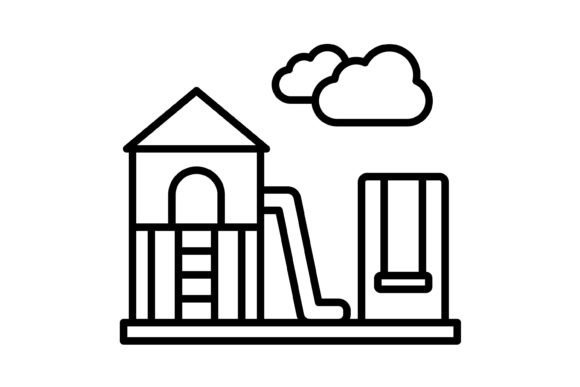
Mastering Digital Design: The Essential Guide to Playground Outline Icons
In the fast-paced world of digital design, visual communication is paramount. Whether you are a web developer building a complex dashboard, a mobile app creator designing an intuitive user interface, or a marketing professional preparing a high-stakes presentation, the assets you choose define the user experience. Among the most critical assets in any designer's toolkit are icons. However, not all icons are created equal. Today, we are taking a deep dive into the Playground Outline Icon set—a comprehensive collection designed to bridge the gap between aesthetic appeal and functional utility. We will explore why these icons are vital for modern projects, the technical specifics that make them versatile, and how they can elevate your work across every platform imaginable.
The Power of Visual Hierarchy in UI/UX
Before we dissect the specific features of the Playground Outline Icon pack, it is essential to understand the role icons play in User Interface (UI) and User Experience (UX) design. Icons are the universal language of the digital age. They transcend text barriers, speed up navigation, and provide visual cues that help users process information faster. An outline icon style, specifically, offers a clean, modern, and minimalist aesthetic that prevents visual clutter. Unlike filled icons, which can sometimes appear heavy or overwhelming on a screen, outline icons rely on line weight and negative space. This creates a sense of openness and elegance, making them particularly suitable for modern flat design trends and complex data visualization where readability is key.
What is Included in the Package?
One of the most common frustrations for designers is purchasing an asset pack only to find it lacks the specific file type needed for their software environment. The Playground Outline Icon set eliminates this barrier by offering a robust, universal compatibility package. When you download this collection, you are not just getting a folder of images; you are receiving a complete design toolkit. The zip file includes five distinct formats to ensure seamless integration into any workflow:
- AI (Adobe Illustrator): The industry standard for vector editing. This format allows designers to modify anchor points, change stroke weights, and customize the icons to fit exact brand guidelines.
- EPS (Encapsulated PostScript): A versatile format that works across various vector software, including CorelDRAW and older versions of design programs, ensuring backward compatibility.
- SVG (Scalable Vector Graphics): The gold standard for web and mobile development. SVGs are code-based, lightweight, and can be manipulated via CSS and JavaScript, making them perfect for interactive web elements.
- JPG (Joint Photographic Experts Group): Ideal for situations where file size needs to be managed, such as email newsletters or specific web contexts where transparency is not required.
- PNG (Portable Network Graphics): Crucially, these come with a transparent background. This allows the icons to be placed over any color, image, or pattern without the unsightly white box surrounding them.
This multi-format approach ensures that whether you are coding a React Native app or designing a brochure in InDesign, the Playground icons are ready to use immediately.
Cross-Platform Versatility
The modern creative professional rarely works on just one platform. A single project might require a website, a companion mobile app, printed flyers, and a slide deck. The Playground Outline Icon set is specifically engineered for this multi-platform reality.
Mobile and Web Integration
For mobile apps and websites, performance is just as important as looks. The SVG files included in this pack are optimized for web rendering. Because they are vector-based, they remain crisp and sharp on any screen resolution, from standard HD displays to high-density Retina and 4K screens. This eliminates the "pixelation" effect often seen with raster images when scaled up. Furthermore, the "outline" nature of the icons ensures they load quickly and blend seamlessly into responsive grid layouts, ensuring your site or app looks professional on both desktop monitors and smartphone screens.
Print and Presentation
When it comes to print media—business cards, posters, or merchandise—resolution is king. The AI and EPS formats provided allow you to scale these icons to the size of a billboard without losing a single pixel of quality. Similarly, for corporate presentations, these icons help break up text-heavy slides. By using the PNG files with transparent backgrounds, you can overlay icons onto complex slide backgrounds, creating a polished, high-end corporate look that keeps your audience engaged.
Design Philosophy: Usability and Scalability
The core philosophy behind the Playground Outline Icon set is maximum usability. Every line in every icon has been crafted with pixel-perfect precision. In icon design, "pixel-perfect" means that the lines align perfectly with the pixel grid of a screen, preventing the blurriness that occurs when a line sits between two pixels.
The collection boasts 100 vector icons, covering a wide range of categories likely needed for general application and web design. This extensive library means you don't have to mix and match icons from different sources—a common design faux pas that leads to inconsistent stroke weights and styles. Having a unified set ensures visual consistency across your entire project.
Moreover, the scalability of these assets is a major time-saver. Because they are vectors, they are mathematically defined rather than pixel-based. You can resize them from a tiny 16px favicon to a massive hero image element with a simple click, and they will remain mathematically smooth. This feature alone makes the pack an invaluable asset for designers who value flexibility.
Who Can Benefit from This Icon Set?
The utility of the Playground Outline Icons extends to almost anyone working in the digital space. Here is how different professionals can leverage this pack:
- Web Developers: Use the SVG files to create interactive buttons and navigation menus that change color on hover states using CSS.
- Graphic Designers: Utilize the AI files to customize the icons, perhaps adding brand colors or combining them to create unique illustrations.
- Content Creators: Drag and drop the PNG files into video editing software or social media graphics to add professional flair to tutorials and posts.
- Educators: Incorporate clear, recognizable icons into worksheets and e-learning modules to help students navigate content more intuitively.
Conclusion: Elevating Your Creative Workflow
In conclusion, the Playground Outline Icon set is more than just a collection of graphics; it is a comprehensive design solution. By providing five different formats—AI, EPS, JPG, PNG, and SVG—it acknowledges the diverse needs of the modern creative workflow. Its focus on clean, outline aesthetics ensures that your designs remain modern and uncluttered, while the vector scalability guarantees quality across all devices, from mobile apps to print media.
Investing in high-quality, versatile assets like these allows you to focus less on hunting for resources and more on the creative process itself. We hope this guide has clarified the immense potential of this icon pack and how it can streamline your next project. Hope you like our icon collection and find it as useful in practice as it was enjoyable to create.