Streamline Your Crafting: Unlocking Creativity with the Mason Jar Collage 3 Template Sheet
In the world of DIY crafting and digital design, the desire to create often clashes with the technical constraints of time and software proficiency. Many crafters, small business owners, and hobbyists find themselves bogged down by the tedious process of formatting, resizing, and layering images before they can even begin the actual creative work. If you have ever spent hours trying to align graphics in a design program only to realize the dimensions are off, you understand this frustration intimately. This is where the Mason Jar Collage 3 Template Sheet enters the conversation, offering a bridge between a raw idea and a finished, professional-looking printable.
Addressing the Modern Crafter’s Dilemma
The primary challenge for many in the paper crafting and printables industry is the "blank canvas syndrome" combined with technical inefficiency. You may have a vision for a vintage-themed party, a rustic wedding, or a line of digital stickers, but translating that vision into a print-ready format requires specific skills. You need to understand bleed areas, resolution, and file compatibility. For those without a background in graphic design, this learning curve can be discouraging.
Furthermore, time is a finite resource. Whether you are a parent making personalized gifts for a school fundraiser or an Etsy shop owner fulfilling orders, spending hours on layout logistics eats into your productivity. The goal is to move from concept to execution as quickly as possible without sacrificing quality. This is the specific need that the Mason Jar Collage 3 Template Sheet is designed to meet.
What is the Mason Jar Collage 3 Template Sheet?
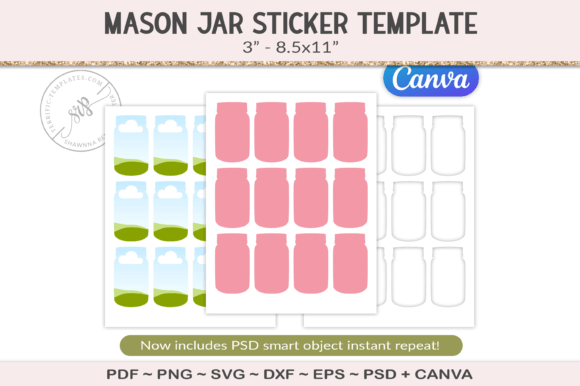
At its core, this product is a pre-arranged layout designed to eliminate the guesswork from your design process. The Mason Jar Collage 3 Template Sheet features a collection of mason jar outlines arranged on a standard 8.5x11-inch sheet. However, unlike a simple coloring page, this is a robust design tool provided in multiple formats to ensure maximum versatility.
When you acquire this resource, you are not just getting a static image. You receive a comprehensive package including PNG, PDF, PSD, SVG, EPS, DXF, and Canva files. This extensive file support ensures that regardless of the software you prefer—whether it is the professional power of Adobe Photoshop, the vector precision of Illustrator, or the user-friendly accessibility of Canva—you can integrate these templates into your workflow immediately.
Practical Applications and Creative Outcomes
The utility of the Mason Jar Collage 3 Template Sheet extends across a wide variety of projects. Because the mason jar is such an iconic symbol of rustic charm, farmhouse aesthetics, and preservation, these templates can be applied to numerous scenarios:
- Sublimation and Tumblers: If you create custom drinkware, you can use the vector files (SVG, EPS) to scale the jars to fit tumblers or mugs without losing quality.
- Sticker Making: For planner addicts, the transparent background PNGs allow you to easily layer the jars over digital papers, print them on sticker paper, and cut them out using machines like Cricut or Silhouette.
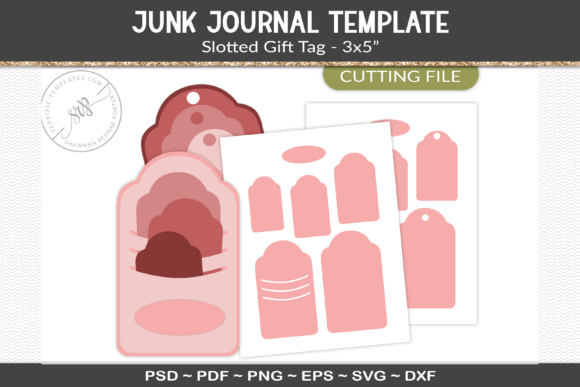
- Junk Journaling: The PDF and printable formats are perfect for those who enjoy the tactile experience of cutting and pasting. You can print the sheet on cardstock, cut out the jars, and use them as pockets or focal points in a handmade journal.
- Digital Planners: If you work within a digital environment like GoodNotes, the Mason Jar Collage 3 Template Sheet provides ready-made elements to decorate your digital pages.
How This Template Saves Time and Enhances Workflow
The true value of this template lies in its "plug-and-play" nature. The files are sized and laid out ready to add your artwork. This means you do not need to draw the jar shapes yourself or spend time measuring margins. You simply open the file, place your floral arrangements, text, or patterns inside the jar shapes, and print.
For users who are not tech-savvy, the inclusion of a Canva link is particularly helpful. Canva is a browser-based tool that many small business owners prefer because of its simplicity. By offering the Mason Jar Collage 3 Template Sheet in this format, the creator has removed the barrier of expensive software subscriptions, making high-quality design accessible to everyone.
Tailoring the Experience to Your Needs
Different users will approach this resource with different goals, and the template accommodates this flexibility.
The Digital Designer: If you are selling digital downloads, you might use the PSD file to create complex, layered artwork. You can clip digital papers to the jar shapes, add shadows for depth, and create a realistic mockup to sell to your own customers. The Mason Jar Collage 3 Template Sheet acts as a foundational layer for your digital products.
The Physical Crafter: If you prefer physical goods, the DXF and SVG files are essential. These vector formats allow your cutting machine to read the lines of the jars precisely. You can set your machine to cut out the jar shapes perfectly, allowing you to create intricate card toppers or scrapbook embellishments without tedious hand-cutting.
The Educator or Parent: Sometimes you just need a quick activity. The PDF version of the Mason Jar Collage 3 Template Sheet can be printed instantly. It serves as an excellent base for a "capture your memories" activity where children draw their favorite things inside the jars, or for creating quick labels for homemade jams and preserves.
Recommendations for Best Results
To get the most out of your purchase, consider the following tips. First, always check your printer settings. When printing the 8.5x11 sheet, ensure you select "Actual Size" or "100%" rather than "Fit to Page" if precise dimensions are critical for your project, especially if you are using the cut files.
Second, experiment with transparency. If you are using the PNG version, try lowering the opacity of the jar layer in your design software. This creates a "ghost" effect that allows the background texture to show through, which is excellent for creating subtle, vintage-style stationery. The Mason Jar Collage 3 Template Sheet is versatile enough to support both bold, opaque designs and delicate, transparent overlays.
Finally, consider the paper stock. If you are making durable tags or stand-alone embellishments, printing the Mason Jar Collage 3 Template Sheet on a heavy cardstock (such as 80lb or 110lb) will yield a much more professional feel than standard copy paper.
Conclusion
The modern creative landscape demands tools that are both flexible and efficient. The Mason Jar Collage 3 Template Sheet answers this demand by providing a multi-format, ready-to-use solution for a wide array of crafting needs. Whether you are a digital artist looking for vector shapes, a scrapbooker needing quick embellishments, or a small business owner streamlining your production line, this template offers a practical, time-saving foundation. By removing the technical hurdles of drawing and formatting, it allows you to focus on what matters most: bringing your unique creative vision to life.