Mastering Etsy Seller Instructions: A Guide to Boosting Sales with Professional Digital Templates
In the bustling world of e-commerce, specifically within the creative marketplace of Etsy, the visual presentation of your shop is just as important as the quality of your products. However, there is a critical component that often gets overlooked by new and experienced sellers alike: the post-purchase customer experience. Specifically, how you deliver your digital goods and guide your customers through the process. This is where the concept of Etsy Seller Instructions Templates becomes a game-changer for your business efficiency and customer satisfaction ratings.
Understanding the Digital Delivery Challenge
When a customer purchases a physical item, the "unboxing" experience is tangible. But when they purchase a digital product—such as a printable planner, a social media template, or an art print—the delivery mechanism is purely digital. While Etsy automates the download of the file, customers frequently encounter confusion regarding how to access the file, how to open it, or how to use a platform like Canva to edit their purchase. This confusion often leads to an influx of repetitive customer support messages, which can drain a seller's time and energy.
The solution lies in providing a clear, professional, and visually appealing set of instructions. Instead of sending a plain text email or relying solely on the Etsy listing description, top sellers utilize Canva Instructions Templates. These are pre-designed layouts that allow you to communicate vital information to your buyers instantly and professionally.
What Are Canva Instruction Templates?
Canva is a widely accessible, browser-based graphic design tool that has democratized design for millions of users. Canva Instructions Templates are essentially digital blueprints created within this platform. They are fully customizable, meaning you can change the text, colors, fonts, and images to match your specific brand identity.
For an Etsy seller, these templates serve a dual purpose. Firstly, they act as a Digital Listing Mockup, helping you visualize how your product will look in a real-world setting. Secondly, and more importantly, they function as a "Read Me" file or a user manual that accompanies your digital download. By providing a 1-page A4 size template (210 x 297 mm), you ensure that the instructions are printable, legible, and easy to read on any screen.
The Anatomy of a High-Converting Etsy Listing
To understand the power of these templates, we must look at the anatomy of a successful Etsy shop. A high-converting shop relies on trust and clarity. When a potential buyer lands on your Etsy Digital Listing, they are making a split-second decision based on the quality of your imagery and the clarity of your description.
Visual Consistency and Branding
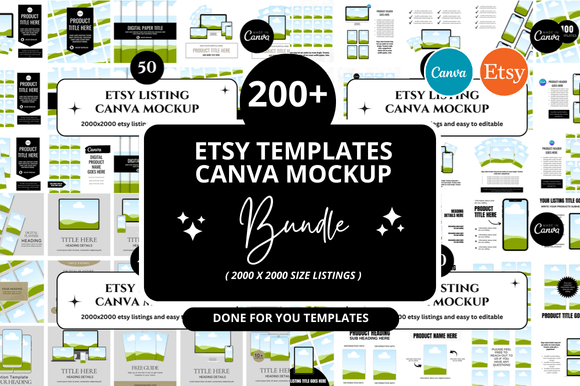
Using an Etsy Banner Template ensures that the first thing a customer sees at the top of your shop looks professional. This visual consistency should flow into your product listings. When you use Etsy Mockup Templates, you are not just showing a flat image of a planner; you are showing the planner on a desk, next to a coffee cup, or in the hands of a user. This helps the customer visualize the utility of the product.
The "How-To" Guide
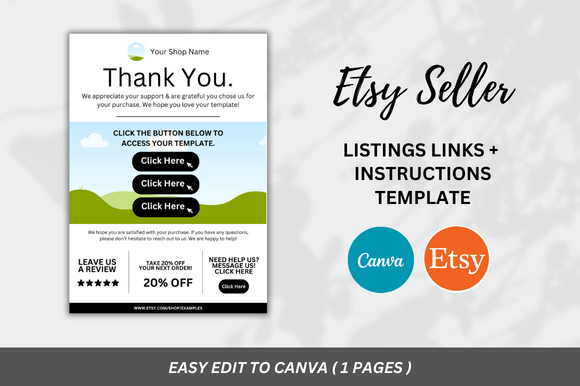
However, the sale is only the beginning. Once the purchase is made, the customer needs to use the product. This is where the Customizable 1 Page Canva Instructions Template shines. It is designed specifically for Digital Product Sellers to bridge the gap between purchase and usage. This single page typically includes:
- Access Links: Direct links to the Canva template (if applicable).
- Step-by-Step Editing: Screenshots or text guides on how to edit the template.
- Printing Tips: Advice on paper types and printer settings for Etsy Printables.
- Terms of Use: Clear boundaries on how the digital file can be used.
Practical Relevance: Saving Time and Reducing Friction
Time is the most valuable currency for an entrepreneur. One of the biggest time sinks for digital sellers is handling customer service queries regarding file access. Questions like "Where is my link?" or "How do I open this in Canva?" can take hours to answer if handled individually.
By utilizing a robust instruction template, you are effectively creating a self-service support system. The template provides the answers before the customer even thinks to ask the question. This frictionless experience leads to higher customer satisfaction, better reviews, and ultimately, repeat business. It transforms your shop from a simple file repository into a full-service digital solution provider.
Customizing Your Template for Maximum Impact
The beauty of these templates lies in their flexibility. You are not locked into a rigid design. Here is how you can leverage the features to fit your niche:
- Brand Alignment: Change the background colors and font styles to match your existing Etsy Shop Covers and logo. This creates a cohesive brand experience that looks expensive and trustworthy.
- Interactive Elements: Since the template is digital, you can embed hyperlinks. For example, if you are selling a Canva Link Template, you can place the direct edit link right on the instruction page. This makes it incredibly easy for the user to get started immediately.
- Upselling Opportunities: The instruction page is prime real estate. You can include a small section at the bottom highlighting other products in your shop, such as matching Etsy Square Listings or additional Printable Mockup bundles.
Debunking Common Misunderstandings
A common assumption among new sellers is that "digital products sell themselves." While there is no shipping involved, the delivery mechanism is complex. Another misunderstanding is that customers know how to use Canva. While the platform is popular, many buyers are complete beginners who may feel intimidated by the interface.
Your instruction template serves as a gentle educational tool. It reassures the customer that they can achieve professional results without needing advanced technical skills. By guiding them through the process, you empower them to use your product effectively, which reduces the likelihood of refund requests based on "user error" or confusion.
Integrating Templates into Your Workflow
Integrating these templates into your daily workflow is seamless. When you create a new digital product, such as a set of Etsy Printable Mockups, you simply duplicate your master instruction template in Canva. Update the specific details for that product (like the link or the specific editing instructions) and export it as a PDF. This PDF is then attached to the digital files section of your Etsy listing.
This process ensures that every single product in your shop—from your Etsy Digital Banner designs to your Planner Mockups—comes with the same high level of professional guidance. It standardizes your operations and ensures quality control across the board.
Conclusion
In the competitive landscape of Etsy, success is often found in the details. While creating high-quality digital assets is the foundation, the packaging and delivery of those assets are what build a sustainable business. By utilizing a 1-page A4 Canva Instructions Template, you are investing in your customer's experience. You save hours of support time, reduce confusion, and present your brand as a polished, professional entity. Whether you are selling Etsy Square Listings or comprehensive Etsy Shop Bundles, clear instructions are the bridge between a sale and a satisfied customer. Embrace the power of templates, streamline your process, and watch your Etsy business thrive.