Gift Tag Mockup & Thank You Tag Mock-ups for Designers
Creating a cohesive brand experience often comes down to the small details. The texture of the paper, the weight of the cardstock, and the typography on a thank you note can speak volumes about your business's quality before a customer even uses the product. This is where high-quality Gift Tag Mockup assets become indispensable. We are thrilled to offer a solution that bridges the gap between a digital concept and a physical reality. Our Thank You Tag Mock-ups provide a realistic canvas to visualize your designs, ensuring that your brand identity translates perfectly from screen to print.
Forget the days of guessing how a color palette will look under different lighting conditions. This digital download is designed for the modern creative professional who values efficiency and precision. Whether you are a stationer, a boutique owner, or a graphic designer, the ability to present your work in a tangible context elevates your portfolio and builds client confidence. This Premium Font alternative—meaning a premium design asset—allows you to showcase your typography and layout skills without the cost of a physical photoshoot.
The Anatomy of a Perfect Tag Mockup
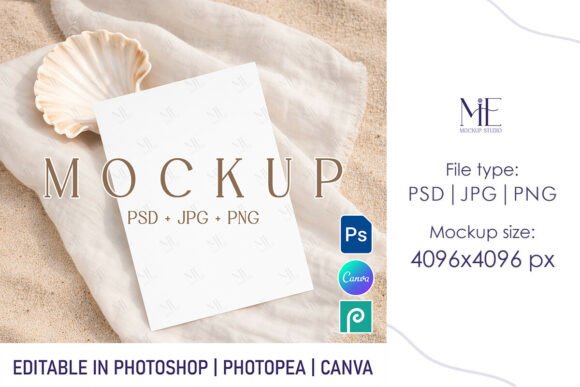
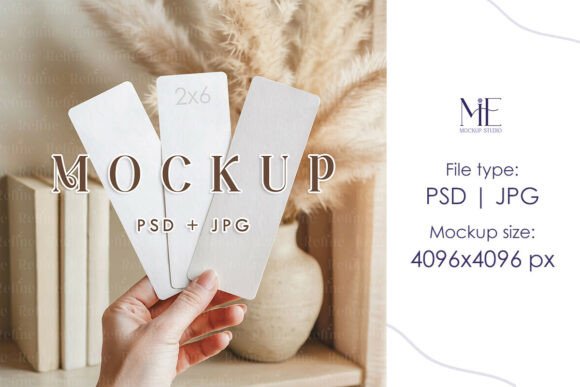
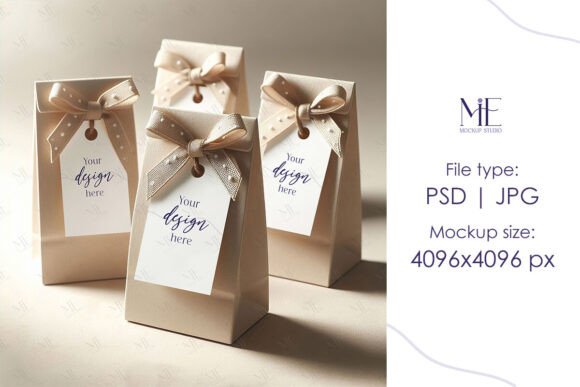
When we talk about a Gift Tag Mockup, we are referring to more than just a static image. We are talking about a tool that simulates reality. The file includes a high-resolution JPG at 4096x4096 pixels, ensuring that even the most intricate details of your script font or handwritten font choices remain crisp. The tag dimensions are set to a standard 2x3.5 inches, a versatile size that works for everything from retail packaging to wedding favors.
The visual characteristics of this mockup are neutral yet elegant. It does not scream for attention; instead, it frames your work. This is crucial for packaging design. If your tag design features a bold display font, the mockup provides a clean background that ensures legibility. Conversely, if you are working with a delicate serif font for a high-end cosmetics line, the realistic shadows and lighting of the mockup add the necessary depth to make the design feel luxurious. It is about creating a stage where your typeface can perform.
Strategic Applications for Your Brand
How does a Thank You Tag Mockup influence your broader marketing strategy? It starts with consistency. In editorial design and web design, visual hierarchy guides the user's eye. The same principle applies to physical goods. A well-designed tag acts as the final handshake between you and your customer. By using this mockup to perfect your design, you ensure that the typography aligns with your logo design and other social media graphics.
Consider the different scenarios where this asset shines:
- Wedding Stationers: Use the Wedding Tags Mock-up to show clients how their names look in a specific script font against a kraft paper texture.
- E-commerce Owners: Visualize your favor tags for product bundles. A cohesive look across your packaging increases perceived value and customer retention.
- Content Creators: Create flat-lay images for Instagram using the Set Tags PSD Mockup to promote a new digital product or course.
The versatility of the Favor Tag PSD Smart Object Mockup means you are not limited to one style. You can test different font pairings—perhaps a bold sans serif font for the headline and a readable body copy font—to see what resonates best with your target audience.
Practical Guide to Using Smart Objects
The true power of this design asset lies in its editability. You do not need to be a Photoshop wizard to achieve professional results. The file utilizes Smart Object layers, which essentially act as placeholders for your artwork. This technology allows you to warp and adapt your design to fit the contours of the physical tag automatically.
Here is how to integrate your work seamlessly:
- Open the File: Launch the PSD in Photoshop. You will see a layer labeled "Smart Object" or similar.
- Edit the Layer: Double-click the thumbnail of the Smart Object layer. This opens a new window (usually a .psb file).
- Insert Your Design: Paste your vector artwork or typography here. Whether you are using a modern typography style or a vintage aesthetic, ensure it fills the canvas.
- Save and Close: Hit save (Ctrl+S / Cmd+S) and close the .psb window. Watch as your design instantly maps onto the Gift Tag Mockup, complete with realistic lighting and texture.
This process is particularly useful when evaluating readability. A design might look perfect on a flat artboard, but once applied to the mockup, you might realize that a thin serif font gets lost in the texture of the "paper." This allows you to make critical adjustments before sending anything to the printer.
Elevating Professionalism with Digital Assets
In a crowded marketplace, presentation is your differentiator. Using a Favor Tag Mock up demonstrates to clients that you care about the entire lifecycle of a design. It shows that you have thought about how the creative font selections will look in the hand, not just on the screen.
For those in the commercial font and design industry, these mockups are essential for building a robust portfolio. Instead of showing a logo in isolation, show it applied to a tag. This contextualizes your work and helps potential clients visualize how you can solve their problems. It transforms a simple typeface selection into a complete brand identity solution.
Ultimately, this Thank You Tag Mockup is about saving time and increasing quality. It removes the guesswork from packaging design and allows you to focus on what you do best: creating beautiful, functional designs that connect with people. Whether you are crafting a rustic wedding suite or a sleek corporate gift set, this tool ensures your tags look as good in reality as they do in your imagination.