Elevate Your Portfolio: Real-World Uses for Spiral Notebook Mockups and Planner Mockups
In the world of graphic design, presentation is everything. You can have the most intricate floral pattern or a perfectly organized weekly spread, but if you present it on a flat, white canvas, it often fails to capture the imagination of your client or customer. This is exactly where the power of a Spiral Notebook Mockup or a Planner Mockup comes into play. These tools bridge the gap between a digital file and a tangible product, allowing you to showcase your work in a realistic environment before a single page is printed.
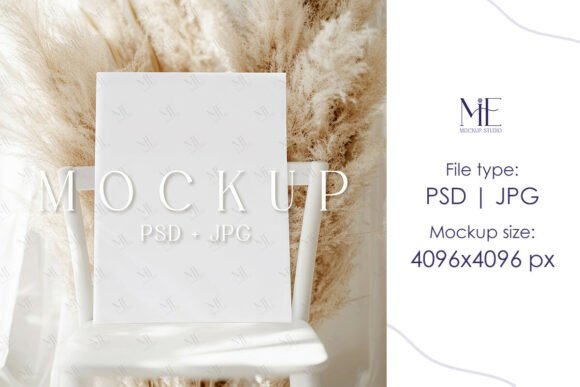
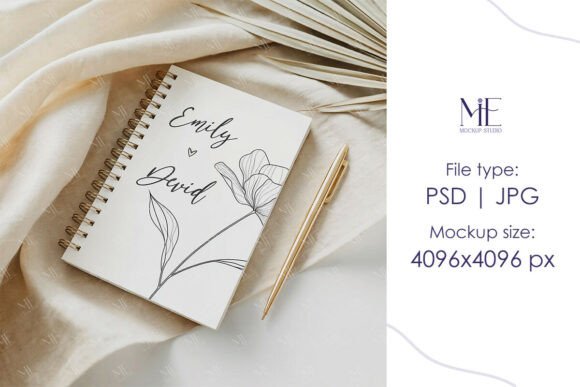
We are thrilled to offer high-quality, editable PSD mockups and digital mockup templates designed specifically for this purpose. These aren't just static images; they are fully editable environments. When we talk about a Spiral Journal Mockup or an A5 Spiral Notebook Mockup with Boho Background, we are talking about a canvas that breathes life into your designs. By using Smart Object layers in Photoshop, you can simply drag and drop your artwork onto the notebook cover or interior pages, and the mockup automatically adjusts the shadows, lighting, and perspective to match. The result is a professional, high-resolution image that looks like a photograph of a finished product.
Transforming Client Pitches and Feedback
One of the most practical applications for these mockups is in the client presentation phase. Imagine you are a branding agency pitching a new visual identity to a stationery company. Instead of showing them a logo on a slide, you can present that logo wrapped around a Spiral Notebook Mockup. Suddenly, the client isn't just looking at a design; they are seeing their brand come to life. It helps them visualize the end product, which significantly speeds up the approval process.
This is particularly useful for interior designers or lifestyle brands. If you are designing a custom planner for a yoga studio, placing your layout inside a Planner Mockup set against a calming, minimalist background helps the client understand the "vibe" of the product. It answers the question of "how will this look on a desk?" before any money is spent on manufacturing.
The E-Commerce Advantage
For those selling on platforms like Etsy, Amazon, or Shopify, visual assets are the lifeblood of your business. Customers cannot touch or feel the texture of the paper through a screen, so your images must do the heavy lifting. Using a high-resolution Spiral Journal Mockup allows you to create a cohesive shop aesthetic without the overhead costs of professional product photography.
Consider the seller who offers personalized journals. They might have hundreds of cover designs. It would be physically impossible to print and photograph each one. By using a PSD mockup, they can generate a perfect listing image for every single design in a matter of minutes. The 4096x4096 resolution ensures that when customers zoom in on the details—like the spiral binding or the texture of the cover—the image remains crisp and clear, building trust and reducing return rates.
Creative Scenarios and Niche Markets
The utility of these mockups extends far beyond standard office supplies. Think about the indie author who has just finished a manuscript. They need a cover reveal image for social media. An A5 Spiral Notebook Mockup with Boho Background is perfect for a cozy memoir or a poetry collection. It sets an immediate mood that a flat JPEG simply cannot achieve. It tells the potential reader that this is a thoughtfully crafted piece of work.
Similarly, wedding stationers find immense value in these templates. When showcasing a suite of wedding invitations or a bridal party planner, the context is key. A mockup allows you to place that invitation on a styled table setting or next to a coffee cup, helping the bride and groom see how their stationery fits into their wedding day aesthetic. It turns a product into a memory.
Choosing the Right Mockup for Your Project
When selecting a mockup, it is important to consider the specific needs of your design. Not all spiral bindings are created equal. Do you want a thick, chunky spiral that suggests durability, or a sleek, thin wire for a more modern look? The Spiral Notebook Mockup you choose should complement the style of the artwork you are placing inside it.
Backgrounds also play a crucial role. A Boho Background implies a certain lifestyle—earthy, natural, and relaxed. This is ideal for planners targeting wellness enthusiasts or travel journals. However, if you are creating a corporate training manual or a technical notebook, you might prefer a clean, solid background or a sleek marble surface. The versatility of editable PSD files means you can often toggle these backgrounds on or off to suit the specific campaign.
Practical Considerations and Ease of Use
A common hesitation for designers is the learning curve associated with new tools. However, modern mockups are designed with user experience in mind. You do not need to be a Photoshop wizard to use them effectively. The process is straightforward: you open the file, locate the Smart Object layer (usually clearly labeled), double-click it, paste your design, and save. The mockup does the rest of the work, automatically warping your design to fit the curves and angles of the notebook.
One thing to keep in mind is the aspect ratio of your artwork. While the mockup provides the environment, your design needs to be prepared correctly. For an A5 notebook, ensure your canvas size matches the standard A5 proportions to avoid stretching or distortion. Most mockups come with a "How to Use" guide, but the beauty of the Smart Object feature is its non-destructive nature. You can experiment with different designs, colors, and layouts until you find the perfect fit without altering the original file.
A Resource for Every Creator
Ultimately, a Planner Mockup or Spiral Journal Mockup is more than just a digital asset; it is a resource that empowers creators. It allows graphic designers to build impressive portfolios, enables entrepreneurs to launch products faster, and helps artists present their illustrations in a professional context. Whether you are designing for a specific client or building a print-on-demand empire, having a library of high-quality, realistic mockups at your disposal is an investment that pays dividends in visual impact and professional credibility. It transforms the abstract into the concrete, making your designs not just visible, but tangible in the mind of the viewer.